

Last Updated: November 5, 2026
Quick Summary
To keep small accessories organised in a work bag, empty the bag, sort items into categories such as keys, tech, personal care and snacks, and give each group its own pouch. Choose pouches by measured size, closure and visibility, then place the most-used group near the top opening. Reset the bag weekly to keep the system working.
- Sort items by how often you use them, placing daily items near the top
- Measure your items before buying pouches so none are oversized
- Keep keys, cables and personal-care items in separate pouches to prevent damage
- Wind cables into loose loops and secure them with ties
- Set aside ten minutes each week to empty and reset the bag
Table of Contents
- Why Small Accessories Get Lost in a Work Bag
- Sort Your Small Accessories Into Categories
- Choosing Pouches by Size, Closure and Visibility
- Building a Work Bag Organiser Layout
- Keeping Chargers, Keys and Personal-Care Items Apart
- How to Switch Bags Without Forgetting Essentials
- Setting Up Your Weekly Bag Reset Routine
- Frequently Asked Questions
Why Small Accessories Get Lost in a Work Bag
Small accessories are the first thing to disappear in a work bag. Keys slide under a laptop sleeve, a charging cable tangles with a notebook, and a lip balm rolls to the bottom. The items people carry every day are small by design and easy to lose.
The cause is usually simple. A bag with one big open space gives every small item the same chance to hide. Without a set place, people dig through the whole bag each time they need something.
- Loose items move every time you lift the bag
- Heavy items push small things into corners
- Without a home, items end up wherever they were last dropped
The fix is not a bigger bag. It is a small system that gives each item a place.
Sort Your Small Accessories Into Categories
Start by emptying the bag onto a table. Group everything by type. Most work bags end up holding a handful of groups:
- Keys and access items: keys, key cards, a fob
- Tech accessories: cables, a power bank, earphones, a card reader
- Personal-care items: lip balm, hand cream, a small comb, pain relief
- Snacks and small essentials: mints, a sachet of tea, hair ties
Next, sort each group by how often you use it. Items you reach for daily belong near the top of the bag. Items you use once a week can sit deeper.
Watch out: Do not sort by what looks tidy on a table. Sort by what you actually grab during the day. A layout that looks neat but hides your keys will fail by Wednesday.
Once you have groups, give each one a container. This is where most people stop, and it is the step that makes the system last.
Choosing Pouches by Size, Closure and Visibility
Pouches are the core of an organised work bag, but the wrong pouch is worse than no pouch: it adds bulk, hides contents and lets small items migrate. Choose with three variables in mind, and test each one against what you actually carry.
Size. Measure the longest and widest item in each group before you buy. A pouch that is slightly larger than its contents gives enough room to open and close without letting items slide around. A pouch that is much larger than its contents lets small things pool at one end; a pouch that is too tight strains the zip and creases cards.
Closure. Zip closures hold best and are the safest choice for anything that can spill or snag. Elastic loops inside a pouch work well for cables and pens because they stop items tangling with each other.
Visibility. Clear or mesh-fronted pouches let you see contents without opening them, which is the single biggest time-saver when you are looking for a cable or a card. Solid pouches look tidier and protect contents from light and scratches but hide what is inside. A practical compromise is a clear pouch for tech and keys and a solid pouch for personal care, so the items you hunt for most are visible and the items you want private are covered.
Labelling and accessibility. Add a short label to each pouch, either written on a tag or on a strip of tape, so you can identify it by touch in a dim bag. High-contrast labels and tactile markers help if you have limited vision or dexterity, and consistent placement means your hand learns where each pouch lives. Keep the same pouch for the same category every time; swapping pouches between roles is what breaks the system.
Bulk check. Before committing, load the pouches into the bag and close it. If the bag bulges or the laptop sleeve presses on the pouches, downsize one pouch rather than removing a category. A set of two or three zipped pouches in different sizes, one for tech, one for personal care and one flat pouch for cards and keys, covers most work bags without adding noticeable weight.
Watch out: Buying a matching set of pouches before measuring your items is the most common reason a system fails, because one oversized pouch swallows three categories and you are back to digging.
The three choices that matter most when picking a pouch are summarised below.
| Choice | Pick this when | Watch out for |
|---|---|---|
| Zip closure | Items can spill or snag | Slower to open one-handed |
| Elastic loops | Cables and pens need separating | Less protection from spills |
| Open top | You grab the item many times a day | Small items fall out when tilted |
| Magnetic closure | You want quick access | Can pop open under pressure |
| Press studs | You want secure closure | Slower to open |
| Clear or mesh front | You need to see contents at a glance | Less protection from light and scratches |
| Solid front | You want privacy or a tidier look | Contents are hidden |
Building a Work Bag Organiser Layout
A work bag organiser insert, or a simple tote with internal pockets, gives your pouches a fixed home. Think of it as a floor plan for the bag.
Place the most-used group near the top opening, where your hand goes first. Put heavier items low and flat so they do not crush the pouches. Keep the laptop in its own sleeve so it does not press against small items.
If your bag has no internal pockets, a mini organiser works well. Choose one that sits flat on the base. Avoid organisers that are taller than the bag's inner depth, because they bend and crease when you close the bag.
Keeping Chargers, Keys and Personal-Care Items Apart
Mixing these three groups is the most common reason a system falls apart. Keys scratch phone screens and snag fabric. Cables pick up lint, hair and grit that work their way into connectors. Personal-care products leak, melt or crack onto everything nearby. Separation is not fussiness; it is damage prevention.
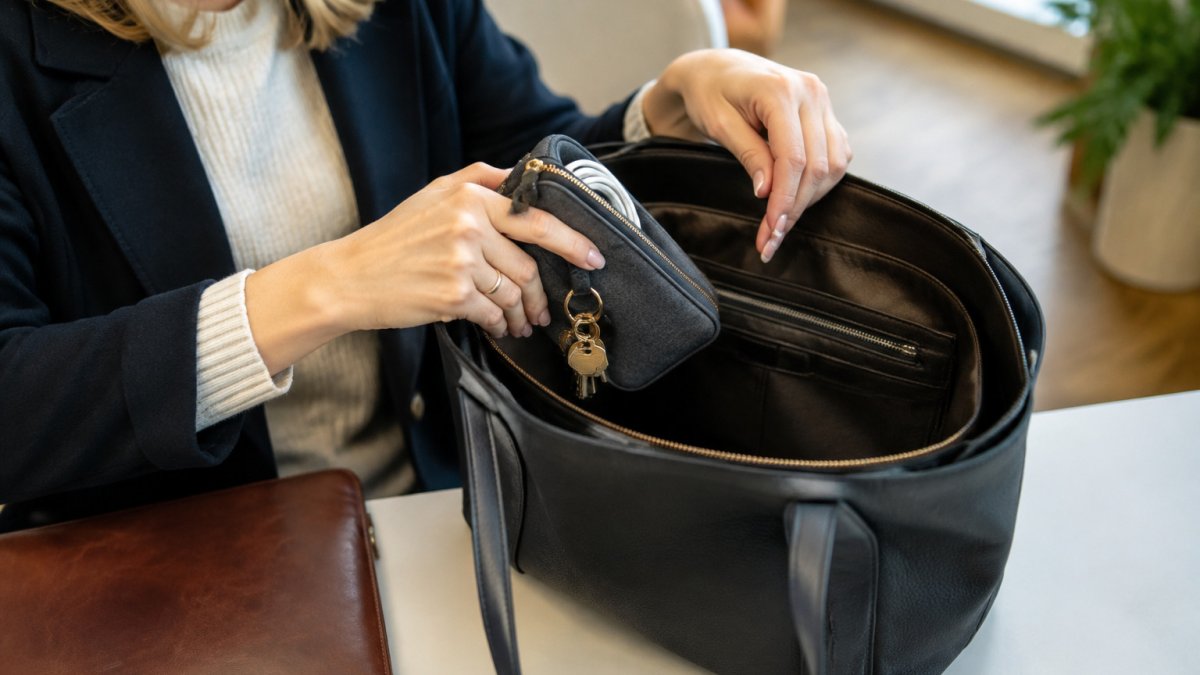
Keys. Keep keys in a flat, hard-sided pouch or on a clip inside a dedicated pocket so the teeth cannot press against a screen or a card. If keys keep slipping out of sight, a key finder can help you locate them quickly. A hard-sided pouch also stops keys from punching through soft fabric over time. If you carry a fob, keep it with the keys rather than loose, because a fob that slides free is the item most often left behind.

Chargers and cables. Keep chargers and cables in a zipped pouch, with each cable wound loosely into a loop about the width of your palm and secured with a hook-and-loop tie or an elastic loop. Winding tightly around a connector is what breaks the internal wires; a loose loop with the ends free lasts far longer. A compact keychain power bank can keep charging gear in its own spot.

Personal care. Keep liquids and creams in a sealed bag, separate from paper and tech, and stand bottles upright where the pouch allows. A small clear waterproof bag inside the pouch contains a leak if a lid works loose. Decant creams and liquids into smaller containers rather than carrying full-size bottles, and check lids before every trip. Medication belongs in its own small pouch, kept away from moisture and heat, and never loose where it can be mistaken for something else.
Earphones and small tech. Keep earbuds in a hard case rather than loose in a pouch, because loose buds collect lint and the cables snag on everything. A card reader or small adaptor can share the tech pouch but should sit in its own slip pocket so it does not scratch a screen.
Spacing and buffers. Liquids should never sit directly against electronics. Use the sealed bag as a buffer, and place the personal-care pouch on the opposite side of the bag from the tech pouch where the layout allows.
Watch out: A power bank sharing a pouch with loose keys or coins is a genuine short-circuit risk, so give it its own slip pocket or a small fabric sleeve inside the tech pouch.
How to Switch Bags Without Forgetting Essentials
Changing bags is where the system breaks. Most people move the big items and forget the small ones, then find their keys missing at the door.
Use a simple transfer routine:
- Empty the old bag onto a table, not into the new bag directly
- Check each category against a short list: keys, cable, card, lip balm
- Place each pouch into the new bag in its fixed spot
- Do a final pat-down of the old bag's pockets before leaving it
Keeping a written list inside the bag helps. Tape a small card with your five must-haves to the inside lid. Check it each time you swap.
Setting Up Your Weekly Bag Reset Routine
A system only works if you keep it working. Set aside ten minutes once a week to reset the bag.
- Empty the bag fully and remove receipts, wrappers and single items with no home
- Check that every pouch is back in its spot and zipped
- Wipe down any pouch that has collected dust or crumbs
- Replace anything running low, such as lip balm or cable ties
Do this on the same day each week, such as Friday afternoon. For more ways to tighten your weekly habits, see this guide to improving daily routine efficiency. A regular reset stops small clutter from building up into the lost-item problem you started with.
With categories, pouches, a fixed layout and a weekly reset, your small accessories will stay where you can find them. Start with one change this week, and build from there.
Frequently Asked Questions
How do you keep a work bag organised?
Start by emptying the bag once a week and sorting its contents into groups: daily essentials, tech accessories, personal-care items and anything you only need occasionally. Give each group a fixed place, such as an interior pocket for keys or a zipped pouch for chargers. Return items to their place as you use them rather than tipping everything back in at the end of the day. A few minutes of resetting each week stops small items drifting into the base of the bag, where they become hard to find.
What is the best way to organise small items in a bag?
Group similar items together and contain each group in its own pouch or compartment. Keys, cables, lip balm and small snacks behave differently, so keep them separated rather than loose. Choose pouches that suit the item size, with a closure that keeps contents in place and a clear or open front where you need quick access. Place the most-used group in the easiest-to-reach pocket so you are not digging through the whole bag.
Are pouches a good way to organise a work bag?
Pouches work well for small accessories because they stop loose items rolling into the base of the bag and make it easy to move a complete set between bags. Pick a pouch sized to its contents so it does not add bulk, and choose a zip or fold closure that will not open in transit. Avoid overfilling pouches, since a crowded pouch is harder to reach into and can tear at the seams. Use one pouch per category rather than one large pouch for everything.
How can I stop small items getting lost in my work bag?
Give every small item a specific home and return it there after each use. Keep keys on a clip or in a dedicated pocket, and keep chargers in a pouch with a loop so they do not tangle. Check the bottom of the bag weekly, since loose items collect there. If an item regularly disappears, it probably lacks a fixed place, so assign one and it is more likely to stay put.


