

Last Updated: October 23, 2026
Quick Summary
Secure online shops display HTTPS encryption with a padlock icon, verify their business address and contact details, maintain transparent delivery and returns policies, and have genuine customer reviews on independent platforms like Trustpilot. Check the web address carefully for spelling errors, avoid unusually low prices, and use credit cards or PayPal for payment protection.
- HTTPS encryption and a padlock icon protect data in transit but don't guarantee the business is legitimate.
- Legitimate shops display a physical address, working phone number, and email matching their domain.
- Transparent policies on delivery, returns, and refunds signal a business confident in its products.
- Prices significantly lower than competitors and pressure to buy immediately are classic scam signals.
- Credit cards and PayPal offer strong buyer protection through chargebacks and dispute resolution.
Table of Contents
- Why Identifying Secure Online Shops Matters
- How to Check If a Website Is Safe: The Web Address and Security Signals
- How to Check If an Online Shop Is Legit: Seller and Business Verification
- Assessing Reviews and Reputation
- Understanding Online Shopping Scams and Red Flags
- Secure Online Payment Methods: Protecting Your Data
- What to Do If You Suspect You've Paid a Fraudulent Shop
- Frequently Asked Questions
Why Identifying Secure Online Shops Matters
Shopping online offers convenience. You can browse from home and compare prices instantly. But that ease comes with risk. Fraudulent websites look genuine.
The stakes are real. Your bank account, identity, and trust are on the line. Learning how to identify secure online shops protects you before you spend a single pound.
The good news: identifying a secure online shop doesn't require technical expertise. You just need to know what to look for.
How to Check If a Website Is Safe: The Web Address and Security Signals
A secure online shop starts with the basics: the web address and browser security indicators. These are your first line of defence. They tell you whether the site encrypts your data and whether it is what it claims to be.
Verify the URL and spot lookalike domains
The web address is your first checkpoint. Scammers create fake sites with URLs that look almost identical to legitimate ones. A single letter change can fool you.
Check these details:
- Look at the full web address in your browser's address bar, not just the domain name
- Verify the spelling matches the official retailer exactly
- Watch for common tricks: using numbers instead of letters (0 instead of O, 1 instead of l)
A lookalike domain is one of the oldest scam tactics. The fake site redirects you to a payment page that captures your details.
Always type the address carefully or use a bookmark. If you're searching for a shop, click links from official social media accounts or verified listings, not random search results.
Look for HTTPS and the padlock icon
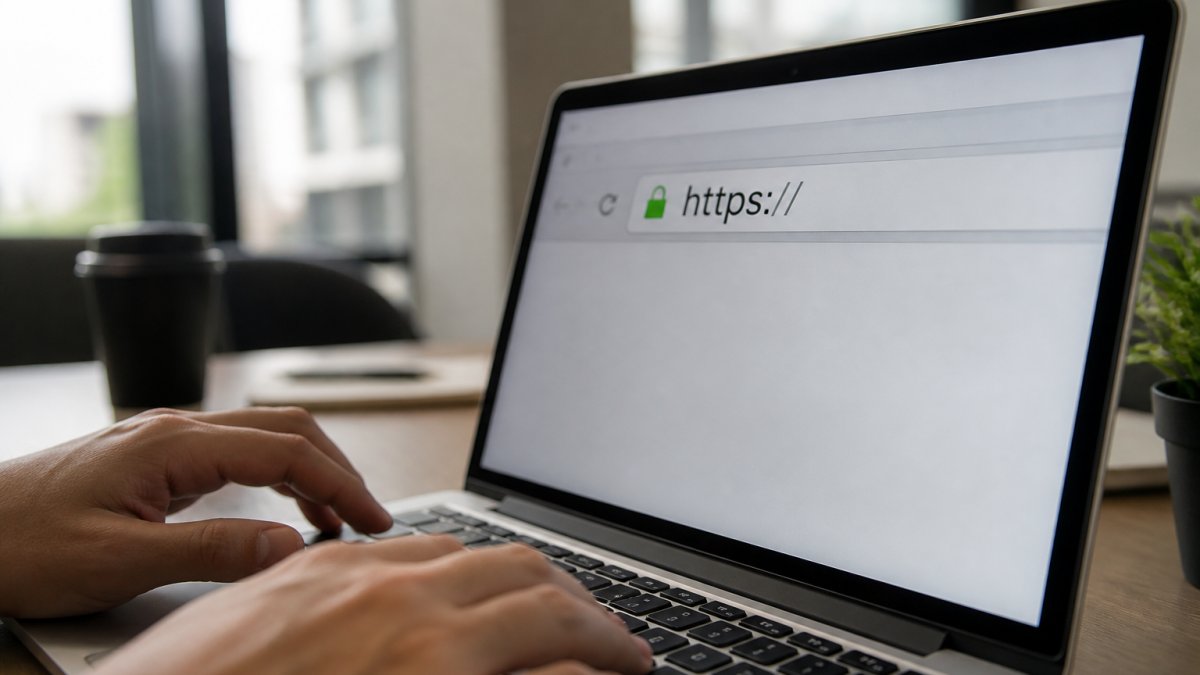
HTTPS is the secure version of the web protocol. It encrypts data sent between your browser and the website. A padlock icon in your address bar signals that encryption is active.
Here's what to check:
- The address bar shows "https://" at the start, not "http://"
- A padlock icon appears next to the web address (location varies by browser)
- Click the padlock to view the security certificate details
This encryption protects your payment details from being intercepted during transmission. It's a baseline security measure, not a guarantee of legitimacy.
Understand what HTTPS actually protects
HTTPS encrypts data in transit. That's important but limited. It does NOT verify that the business is legitimate.
A fraudulent website can have HTTPS and a valid certificate. The encryption just means your data is scrambled while travelling to their server.
Think of HTTPS as a locked envelope. The envelope protects the contents from being read in the post.
This is why HTTPS alone is not enough. You need additional checks.
How to Check If an Online Shop Is Legit: Seller and Business Verification
A legitimate online shop has verifiable business details. Scammers hide behind vague contact information or fake addresses. Real retailers are transparent about who they are.
Find genuine contact details and business address
Legitimate shops display multiple ways to contact them. Look for:
- A physical business address (not just a P.O. box)
- A phone number you can call during stated business hours
- An email address that matches the domain (not a generic Gmail or Yahoo account)
Take time to verify these details. Call the phone number and speak to someone. Search the business address online to see if it's a real location.
Scammers often use incomplete or misleading contact information. They may list a phone number that never answers or an address that doesn't exist. You can contact NEXZI directly to verify how a legitimate retailer handles customer inquiries.
Verify policies: delivery, returns, and refunds
Every legitimate shop has clear policies. They state how long delivery takes, what happens if something goes wrong, and how returns work.
Review these policies before buying:
- Delivery timeframe (e.g., 3-5 working days)
- Returns window (e.g., 30 days)
- Refund method (how you get your money back)
Legitimate retailers make these policies easy to find. They're usually in the footer or a dedicated "Policies" page.
We, for example, offer a 30-day free returns policy and free shipping. These clear, customer-friendly terms signal a business confident in its products and committed to customer satisfaction.
Assessing Reviews and Reputation
Independent reviews reveal how a shop actually treats customers. Scam sites either have no reviews or fake ones that all sound identical.
Look for reviews on independent platforms:
- Google Reviews
- Trustpilot
- The Feefo platform
Pay attention to patterns in reviews:
- Negative reviews that mention specific problems (not just "bad" or "scam")
- Replies from the shop addressing complaints
- A mix of ratings (all 5-star reviews are suspicious)
Be cautious of reviews that all sound identical or overly promotional. Fake reviews often use similar phrases or lack specific details.
Search the business name plus "scam" or "reviews" to see if complaints appear. If the shop has a poor reputation, you'll find evidence quickly.
Understanding Online Shopping Scams and Red Flags
Scammers use predictable tactics. Once you know them, you can spot danger early.
Spot warning signs of fraudulent sites
Fraudulent sites share common characteristics. These red flags should stop you from buying:
- Prices significantly lower than competitors (often 50%+ cheaper)
- Pressure to buy immediately ("Limited stock!" "Offer ends today!")
- Requests to pay via wire transfer, cryptocurrency, or gift cards
One red flag is concerning. Multiple red flags mean the site is almost certainly fraudulent.
Recognise AI-generated storefronts and impersonation
A growing threat is AI-generated storefronts. Scammers use artificial intelligence to create fake shop websites that look remarkably authentic. These sites copy product images, descriptions, and layouts from legitimate retailers.
AI-generated sites often have:
- Generic product photos that look slightly "off" or too perfect
- Descriptions that read like they were written by a language model (overly formal, repetitive phrasing)
- Inconsistent branding or design elements that don't quite match
Impersonation is another tactic. Scammers create sites that mimic well-known retailers. They use similar logos, colours, and layouts. The domain is slightly different, but you might not notice if you're browsing quickly.
To protect yourself:
- Always access known retailers through their official website or app
- Verify the domain spelling carefully
- Check for subtle design differences from the official site
Secure Online Payment Methods: Protecting Your Data
How you pay determines how protected you are if something goes wrong. Learn more about secure payment methods online shopping to understand your options in detail. Some payment methods offer more security than others.
Choose payment methods with built-in protection
Different payment methods offer different levels of protection:
Credit cards, Offer strong protection through chargeback rights. If you're fraudulently charged, you can dispute the transaction with your card issuer. The card company investigates and typically refunds you. This is one of the safest payment methods.
Debit cards, Offer less protection than credit cards. Chargebacks are harder to obtain.
PayPal and similar services, Provide buyer protection programmes.
Bank transfers, Offer minimal protection. Once money leaves your account, it's gone.
Buy now, pay later services, Often include dispute resolution.
Cryptocurrency, Offers no protection or refund mechanism. Transactions are permanent and irreversible.
Use credit cards or PayPal for unfamiliar shops.
Minimise personal information shared
Only provide information the shop genuinely needs. This reduces the damage if the site is compromised or fraudulent.
During checkout, you need:
- Name and delivery address
- Email address
- Phone number (sometimes)
You should NOT need to provide:
- Your date of birth
- Passport or ID number
- National Insurance number
If a checkout asks for unnecessary information, stop and reconsider. Legitimate shops don't need your entire personal history to sell you a product.
Review the privacy policy before entering any data. Our privacy practices are transparent, you can review our privacy choices to see how a trustworthy retailer handles your information.
Different payment methods offer varying levels of protection if something goes wrong.
| Payment Method | Protection Level | Key Benefit |
|---|---|---|
| Credit cards | Strong | Chargeback rights; card issuer investigates disputes |
| Debit cards | Weak | Less protection; money leaves account immediately |
| PayPal and similar | Strong | Buyer protection programme; dispute resolution available |
| Bank transfers | Minimal | No refund mechanism; use only for trusted retailers |
| Buy now, pay later | Moderate | Dispute resolution included; review terms first |
| Cryptocurrency | None | Transactions permanent and irreversible |
What to Do If You Suspect You've Paid a Fraudulent Shop
If you've already paid a fraudulent shop, act quickly. Time matters.
Immediate steps:
- Stop any further transactions with the site
- Do not provide additional information
- Contact your payment provider (card issuer, PayPal, etc.) within 24 hours
- Report the fraud to Action Fraud (the UK's national fraud reporting service)
- Monitor your bank account and credit report for suspicious activity
- Consider placing a fraud alert with your bank
If you used a credit card: Contact your card issuer immediately.
If you used PayPal or similar: Open a dispute through the platform.
If you used a bank transfer: Contact your bank immediately. Explain the situation.
Report the fraud: Contact Action Fraud, the UK's national fraud reporting service. Provide details about the fraudulent site.
Also report the site to:
- The Internet Crime Complaint Center for reporting online fraud (if the scammers are international)
- The National Cyber Security Centre for reporting cyber threats
Frequently Asked Questions
How can you tell if an online shopping website is secure?
Look for three key indicators: the URL must start with HTTPS (not HTTP), a padlock icon should appear in your browser address bar, and the business address and contact details should be clearly listed. However, HTTPS and padlocks only protect data during transmission, they don't guarantee the shop is legitimate. Always verify the seller's reputation through independent reviews and check their returns policy before entering payment details.
What should I do if I think I have paid a fake online shop?
Contact your bank or payment provider immediately to report the transaction. If you used a credit or debit card, you can request a chargeback. Document everything: the website URL, order confirmation (if any), and screenshots of the shop. Report the fraudulent site to Action Fraud and your card issuer. If personal information was compromised, consider monitoring your accounts for suspicious activity and enabling two-factor authentication on important accounts.
Does a padlock symbol mean an online shop is safe?
A padlock indicates the website has an SSL/TLS encryption certificate, which encrypts data between your browser and the server. This protects your payment details during transmission. However, it does not verify the shop is legitimate or trustworthy. Fraudsters can obtain SSL certificates too. Always combine the padlock check with verification of the seller's business details, reviews, and policies before making a purchase.
How can I check whether an online shop has genuine reviews?
Look for reviews on independent platforms rather than relying solely on the shop's website. Check Google Reviews, Trustpilot, or industry-specific review sites. Genuine reviews typically include specific details about products and delivery, mixed ratings (not all five-star), and reviewer names or profiles. Be suspicious of identical positive reviews posted close together or reviews that read like marketing copy. Pay attention to how the seller responds to negative feedback, professional, honest responses suggest legitimacy.
Identifying secure online shops protects your money and your identity. The checks outlined here take minutes but prevent hours of stress and financial loss. NEXZI is built on security and transparency, from 100% SSL encrypted payments to a hassle-free 30-day returns policy. When you shop with a retailer that prioritises your safety, you can browse with confidence. Get started with NEXZI and discover quality products backed by genuine customer protection.


