

Last Updated: November 2, 2026
Quick Summary
The best gadgets to buy in 2026 are ones you will still use in six months, judged on daily usefulness, compatibility and value for money. Top picks include the RGB Nixie-Style IPS Desk Clock at £49.99 and the WILIT A53S House-Shaped LED Desk Lamp at £29.99.
- Every gadget we stock ships free and can be returned within 30 days.
- The RGB Nixie-Style IPS Desk Clock uses colour IPS screens and USB Type-C power.
- The WILIT A53S lamp offers cool white, natural white and warm white modes and recharges via USB Type-C.
- Check your router's Wi-Fi band before buying a connected clock or display.
- The Magnetic Food Bag Clips come as a set of five, each with a date dial.
Table of Contents
- How We Chose the Best Gadgets to Buy in 2026
- Best Tech Gadgets 2026: A Quick Comparison
- Best Gadgets for Everyday Use: Desk and Home Essentials
- Useful Gadgets to Buy for Work and Focus
- Unique Gadget Gift Ideas That Do Not Feel Like Filler
- Longevity, Privacy and Compatibility: What Most Gadget Guides Skip
- Choosing Your Next Gadget from the NEXZI Range
- Frequently Asked Questions
How We Chose the Best Gadgets to Buy in 2026
Finding the best gadgets to buy in 2026 comes down to one question: will you still use it in six months? At NEXZI, we stock lifestyle and utility products, so we judge every item on daily usefulness and whether it solves a real problem rather than an imagined one. A gadget earns its place on your desk or in your bag when it does one job well and keeps doing it.
We looked at four things:
-
Practical value: does it replace a daily annoyance or just add another charger?
-
Compatibility: does it work with what you already own, on standard connections?
-
Value for money: sensible prices, with free shipping and a 30-day free returns policy so you can send it back if it does not fit your routine.
The UK government guidance on smart device security is a useful starting point for anyone worried about connected gadgets. Security and firmware support matter as much as specs.
Best Tech Gadgets 2026: A Quick Comparison
Here is the short version. Every item below is one we stock.
| Gadget | | --- | --- | --- | --- | | RGB Nixie-Style IPS Desk Clock | £49.99 | Gaming setups, desk decor | 1.14-inch colour IPS screens, app photo display | | WiFi Digital Desk Clock with Weather Display | £29.99 | Bedside and home office | Time and weather in one display | | WILIT A53S House-Shaped LED Desk Lamp | £29.99 | Bedside reading, small desks | Three light modes, rechargeable | | AyeBeau SQ-511 Bluetooth Speaker | £29.99 | Kitchen and garden audio | Wireless Bluetooth, portable design | | LCD Writing Tablet | £14.99 | Notes, lists, sketching | Reusable erasable surface | | Magnetic Levitation Globe | £29.99 | Gifts, desk displays | Floating globe with LED lighting | | Magnetic Food Bag Clips, Set of 5 | £9.99 | Kitchen organisation | Date dial on every clip |
If you want to browse the full range in one place, the gadgets collection shows every option side by side.
Best Gadgets for Everyday Use: Desk and Home Essentials
The gadgets that earn their keep are the ones you touch every day. A clock you glance at, a lamp you switch on, a speaker you carry to the kitchen.
Clocks and Displays That Earn Their Space
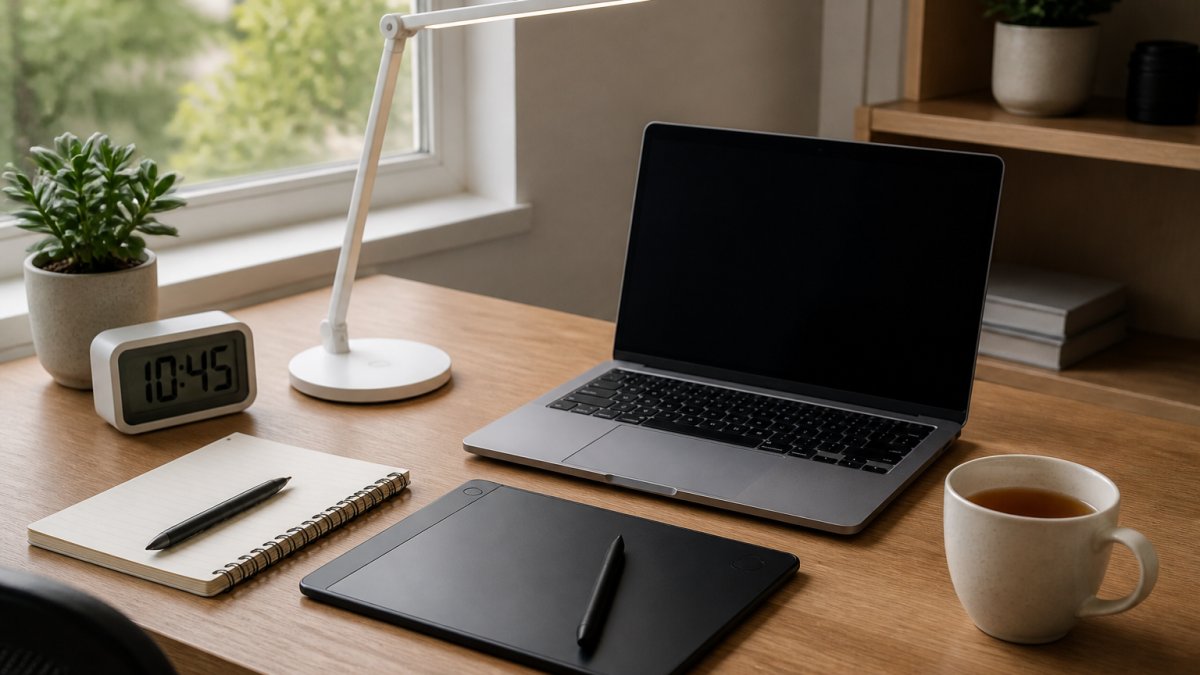
A desk clock is only worth having if it is easier to read than your phone. The RGB Nixie-Style IPS Desk Clock (£49.99) uses colour IPS screens to mimic the nixie-tube look, with 12-hour and 24-hour formats and an aluminium alloy base. It runs on USB Type-C and supports 2.4 GHz Wi-Fi, so check your router before ordering. You can see the full spec and shop the RGB Nixie-style IPS desk clock directly.

Want weather alongside the time? The WiFi digital desk clock with weather display (£29.99) puts both on one screen, in black or white.

Best for: anyone who works at a desk all day. Skip if: you want a battery-powered clock, since this one needs continuous USB power.
Lighting That Adapts to the Task
One lamp rarely suits every job. The WILIT A53S (£29.99) has a house-shaped body, a foldable head, touch controls and three modes: cool white, natural white and warm white. It is rechargeable via USB Type-C and has a carry handle, so it moves from desk to bedside easily. Keep it dry and away from rain.
For reading or adding light to a phone setup, the GGbingo Magnetic LED Reading & Fill Light (£14.99) adjusts brightness and colour temperature, with a magnetic attachment and touch controls.
Useful Gadgets to Buy for Work and Focus
The most useful gadgets to buy are the ones that suit a working day. The items below are ones that can help with everyday tasks.
Capture and Clear Your Head
The LCD Writing Tablet (£14.99) is a slim, reusable notepad with an erasable surface for everyday jotting and drawing. It is not a replacement for a notebook you need to keep, so treat it as a scratchpad for the day's tasks.
Best for: anyone who thinks better with a pen than a keyboard. Skip if: you need to keep or search your notes later.
Audio That Helps You Concentrate
The AyeBeau SQ-511 Bluetooth Speaker (£29.99) connects wirelessly and comes in silver or gold. For focus work, it is a portable unit you can move around the home. Two things to know before you buy: no power adapter is included, and it is not waterproof, so keep it out of the bathroom and away from the garden table in the rain.
AyeBeau SQ-511 Portable Bluetooth Speaker →
Best for: focused desk work and light background music. Skip if: you need a rugged outdoor speaker or a microphone for calls.
Time and Light at the Desk
Two of the everyday essentials double as focus tools. The RGB Nixie-Style IPS Desk Clock (£49.99) shows the time at a glance on your desk. The WILIT A53S House-Shaped LED Desk Lamp (£29.99) has cool white, natural white and warm white modes, with a foldable lamp head.
What to Check Before You Buy
Work gadgets fail on compatibility more often than on specs. Check three things: the charging standard (USB Type-C is the safe bet, proprietary cables are not), the wireless band (2.4 GHz-only devices will not join a 5 GHz-only network), and whether the gadget needs a companion app to unlock its main features. If an app is required, check what permissions it asks for before you connect it, the National Cyber Security Centre guidance on smart devices explains what to look for.
Watch out: check your Wi-Fi band before buying a connected desk gadget.
Unique Gadget Gift Ideas That Do Not Feel Like Filler
A good gadget gift is one the person would not buy themselves but will actually use. The Magnetic Levitation Globe (£29.99) floats above its base with LED lighting. The Rechargeable RGB Projection Lamp (£19.99) comes in Aurora or Water Ripple styles, with 16 colours, a remote control and USB charging, so it suits a bedroom or a student room.
The Magnetic Food Bag Clips (£9.99) come as a set of five, each with a date dial for marking when a packet was opened, approximately 6.3 x 5.5 cm per clip. For more options, our guide to unique gift ideas for active people covers fitness and travel presents in detail.
Longevity, Privacy and Compatibility: What Most Gadget Guides Skip
Most gadget roundups stop at the spec sheet. Three things matter more over the life of a device, and they are the questions that decide whether a gadget is still on your desk in two years or in a drawer.
Longevity and Repairability
Rechargeable items with USB Type-C charging, like the WILIT lamp and the projection lamp, use a standard charging connection.
When comparing gadgets, look for a stated battery type and a charging standard you recognise.
Privacy and Data Security
Connected gadgets, from Wi-Fi clocks to weather displays, send data somewhere. The practical questions are: what does the device collect, where does it go, and what does the companion app require before it will work? A weather display needs your location to show local conditions; a clock that wants contacts or microphone access is asking for more than its job requires.
Buy from sellers with encrypted checkout, and check what the companion app requires before you connect it. The National Cyber Security Centre guidance on smart devices explains what to look for, including the value of changing default passwords and keeping firmware updated. The UK government guidance on smart device security sets out the security requirements now expected of connectable products sold in the UK, which is a useful benchmark when comparing sellers.
Integration Compatibility
Three compatibility checks are worth making before you buy:
- Wireless band: a 2.4 GHz-only device will not join a 5 GHz-only network. Check your router's settings before ordering a Wi-Fi clock or display.
- Charging standard: USB Type-C is the safe bet; proprietary connectors tie the device's life to a single supplier.
A Simple Buying Checklist
Before you buy any connected gadget, confirm the charging standard, the wireless band and whether a companion app is required.
Choosing Your Next Gadget from the NEXZI Range
The right gadget is the one that fits a habit you already have. Start with the job: time, light, notes, sound or a gift. Then check the connection, the power and the size. Everything we stock ships free, arrives with 100% SSL-encrypted payment, and can go back within 30 days if it does not suit.
Watch out: check your Wi-Fi band before buying a connected gadget.
Frequently Asked Questions
What are the most useful gadgets to buy?
The most useful gadgets solve a task you repeat daily. A rechargeable LED desk lamp with three light modes can be used for reading and working. A compact LCD writing tablet can be used for quick notes and sketches. A WiFi desk clock shows the time and weather on one display. Each of these is priced under £30 at NEXZI.
What gadgets are worth buying in 2026?
Worth buying means you will still use it in a year. Look for rechargeable batteries over disposable ones and USB Type-C charging so cables stay compatible. When choosing gadgets, look for a clear job: a Bluetooth speaker for portable audio, an adjustable fill light for reading or phone setups, or a projection lamp for a bedroom.
How do I choose a gadget that will last?
Check three things before you buy. First, the power source: rechargeable with USB Type-C is easier to keep running than a proprietary adapter. Second, the materials and construction, and whether a stated battery type and charging standard are given. Third, the returns policy. NEXZI offers 30-day free returns, so you can send a gadget back if it does not fit your routine.
Which gadgets make good gifts?
Gifts work best when they are specific. A magnetic levitation globe is a desk display option, and an aurora or water ripple projection lamp is a bedroom option. The magnetic levitation globe costs £29.99 and the projection lamp costs £19.99, with free shipping and 30-day free returns.
Your desk, kitchen and gift list all have a gap worth filling. NEXZI offers free shipping, a 30-day free returns policy and secure SSL-encrypted payments, so you can try a gadget without risk. Browse the range, pick the one that matches your routine, and order now with confidence.


